- build 2025.11
- stack · 5 components
- published 2025-11-03
pixcii
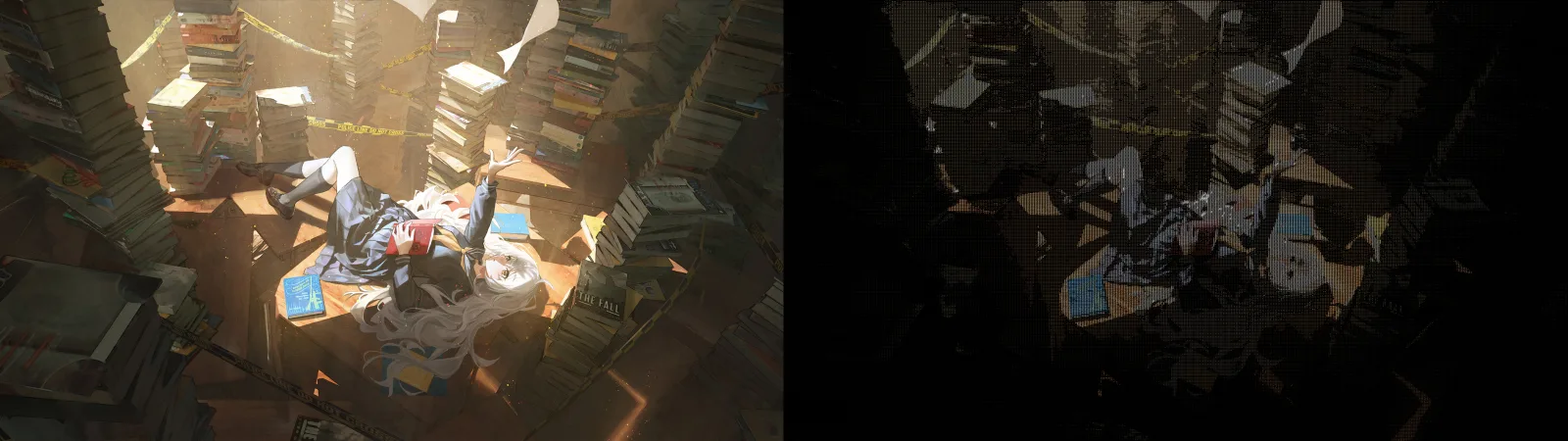
Each pixel becomes a character that carries its brightness and its color, so the result still looks like the picture.
- 01Language
- Python 3.11+
- 02Output
- color terminal or image file
- 03Detail
- dense ASCII brightness ramp
- 04Sticker mode
- edge enhance · ML matting (U2Net / BiRefNet)
why it matters
- A dense character set keeps gradients readable where a small set would just band.
- Keeping the original colors is what makes it look like the photo instead of a typewriter effect.
- Plenty of knobs, width, character ratio, gamma, brightness, contrast, retro quantization, and black-and-white.
- Prints straight to the terminal for a quick look, or saves an image to share.
visuals
engineering notes
pixcii is a command-line tool that turns images into colorized ASCII art. It tries to keep enough detail and color that the output still looks like the original photo.
Brightness to characters
It samples each part of the image down to a target width and ratio, then maps brightness onto a dense set of ASCII characters. The dense set is what keeps the gradients; a small set just bands the image.
Keeping the color
Brightness alone gives you a gray stencil, so pixcii puts the source colors back on the characters. After that there’s a bunch you can tweak: retro color quantization for a limited palette, a black-and-white mode, and gamma, brightness, and contrast.
Sticker mode and output
The “sticker” mode cuts the subject out against black and sharpens the edges, either with simple color keying or, for harder images, ML background removal (U2Net and BiRefNet). The same render goes either to the terminal in color for a quick look, or to an image file to share, with progress bars while it works.